Senior Frontend Architect, 10+ years building production Next.js applications. Contentful Certified Professional (2024). Specializes in React Server Components, headless commerce, and Core Web Vitals engineering.
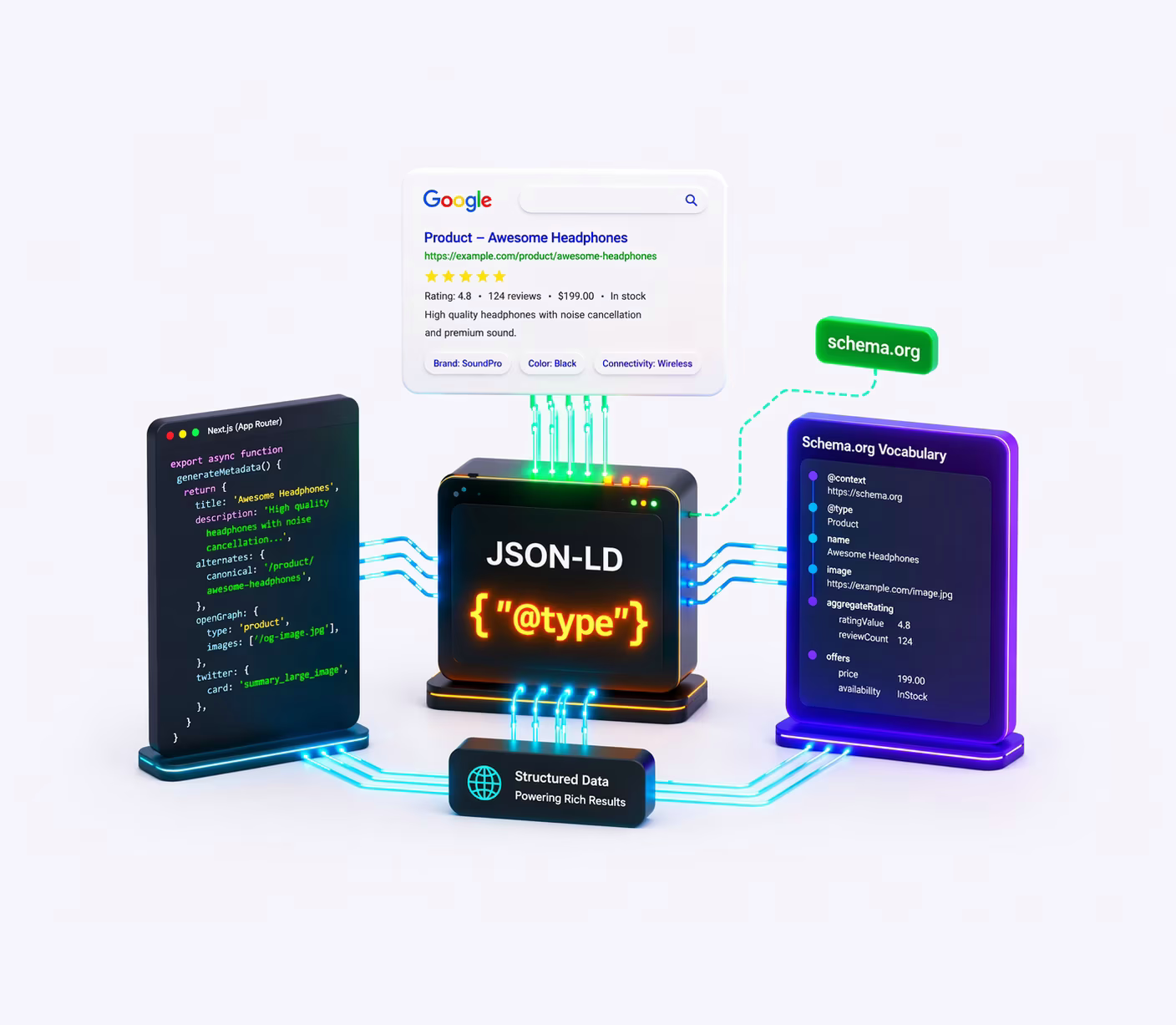
JSON-LD Schema.org structured data is simultaneously the most underutilized SEO technique (most sites ship zero or broken structured data) and the highest-leverage single change you can make (a correctly implemented Product schema with AggregateRating gets star ratings in SERPs with no additional content work). In this guide I walk through three things: the Schema.org entity graph model - how @id linking connects discrete JSON-LD blocks into a knowledge representation that Google and LLMs can actually use; the Next.js App Router injection architecture - what generateMetadata() can and can't do, why Server Component <script> injection is the right pattern, and the XSS vector in dangerouslySetInnerHTML most implementations leave open; and the Google rich result eligibility picture in 2026 - which types still work, what got deprecated (HowTo, Sept 2023), what got restricted (FAQPage, Aug 2023), and why 'unrewarded' structured data is still worth keeping for AI/LLM citation.
Why is Schema.org an entity graph, not a tag vocabulary?
Because it describes entities and the relationships between them, not the page they happen to sit on. Schema.org is a shared vocabulary for describing entities and their relationships, designed to be consumed by machines that build knowledge representations, not just by Google's rich result parser. The conceptual error that produces low-value implementations is treating it as a tag vocabulary instead, a list of @type labels that decorate page content. The distinction produces different architectural decisions.
Schema.org defines three primitive categories: Things (any entity that exists in the world - a Person, a Product, an Article, an Organization), Actions (events that can be verified - a Purchase, a SearchAction, a ReviewAction), and DataTypes (text, number, date, URL). Every schema type is a subclass of one of these primitives. BlogPosting is a subclass of Article → CreativeWork → Thing. This inheritance chain determines which properties are valid - a BlogPosting inherits all Article and CreativeWork properties including headline, author, datePublished, and image.
The @id linking mechanism is what separates a entity graph from a collection of JSON blocks. Every entity that is referenced by other entities should have an @id property - a globally unique URI that serves as its identifier. A BlogPosting that has "author": { "@type": "Person", "name": "Yevhen Samkov" } is a description of an anonymous Person entity. A BlogPosting that has "author": { "@type": "Person", "@id": "https://samcheek.com/about#person", "name": "Yevhen Samkov" } is a reference to a known, persistently identified entity - the same entity that appears in the Person schema on the About page, in the WebSite schema's author property, and in the Review schemas. When Google sees the same @id URI across multiple pages and properties, it accumulates evidence about that entity. This is how personal brands and organizations earn Knowledge Panel entries - through consistent, cross-referenced entity descriptions, not through any single page's structured data.
- The @graph pattern: Multiple related entities on a single page can be combined into a single JSON-LD block under
"@graph": [...]. This is cleaner than multiple<script type="application/ld+json">tags and makes the entity relationships explicit. Example: a blog post page combinesWebPage,BlogPosting,BreadcrumbList, andPerson(author) into one @graph block. Google processes @graph as a unit, which can improve relationship inference. - sameAs: the cross-reference mechanism: The
sameAsproperty links an entity to its representations on other authoritative data sources."sameAs": ["https://www.linkedin.com/in/...", "https://twitter.com/...", "https://www.wikidata.org/wiki/Q..."]tells Google that all these external profiles describe the same entity. EachsameAslink is a corroboration signal - the more authoritative sources corroborate the entity, the more confident Google is in its Knowledge Graph representation. - @context: the vocabulary declaration: Every JSON-LD block must include
"@context": "https://schema.org". Without it, the type and property names have no meaning - they are arbitrary strings. The@contextmaps those strings to Schema.org's vocabulary definitions. A JSON-LD block without@contextproduces zero structured data value and will fail validation.
JSON-LD vs Microdata vs RDFa: which format should you use in 2026?
All three formats can express the same Schema.org structured data. The technical tradeoffs explain why JSON-LD is the only format that should be used in 2026.
- Microdata (HTML5 attributes): Adds
itemscope,itemtype, anditempropattributes directly to HTML elements.<div itemscope itemtype="https://schema.org/Product"><span itemprop="name">Blue Shirt</span></div>. Problems: (1) tightly couples structured data to DOM structure - any markup refactor can silently break the schema; (2) cannot describe data that is not rendered on the page - an Article'sdateModifiedcannot be included in Microdata if it's not displayed to users; (3) readability is poor in code review. Microdata was the dominant format in 2012–2016 before Google fully endorsed JSON-LD. - RDFa (HTML attributes from W3C): Similar to Microdata but using XML-derived namespaces:
<div vocab="https://schema.org/" typeof="Product"><span property="name">Blue Shirt</span></div>. Slightly more expressive than Microdata, but retains the same presentation-coupling problem. Rarely used in web development; common in academic publishing and government data. - JSON-LD (JavaScript Object Notation for Linked Data): Structured data in a
<script type="application/ld+json">block, completely separate from the page's HTML markup. Advantages: (1) presentation-independent - any data can be described regardless of what is rendered; (2) refactor-safe - markup changes do not affect structured data; (3) easy to generate programmatically from the same data objects used to render the page; (4) Google's recommended format since 2016 and the only format supported for certain rich result types. Important:<script type="application/ld+json">is not executed as JavaScript by the browser - the MIME type signals to the browser that this is data, not code. However, it is parsed as JSON, not as JS, so JS comments and trailing commas will cause a parse failure.
Where do you inject JSON-LD in Next.js App Router: Server Component or generateMetadata?
The Next.js App Router provides two mechanisms for injecting content into the <head>: the generateMetadata() function and direct Server Component rendering. Understanding which mechanism handles what is essential for correct structured data architecture.
- What
generateMetadata()can NOT do: TheMetadatatype returned bygenerateMetadata()controls<title>,<meta>,<link rel>, and social card tags. It does not support arbitrary<script>tags. There is nostructuredDataorjsonLdfield in the Next.jsMetadatatype. Attempting to inject JSON-LD throughgenerateMetadata()is not possible. - Server Component
<script>injection (correct): JSON-LD is injected directly in Server Component JSX:<script type="application/ld+json" dangerouslySetInnerHTML={{ __html: JSON.stringify(data) }} />. This renders into the page's<head>or<body>(depending on placement). No client-side JavaScript is involved - the script tag is in the initial server-rendered HTML. - The
<StructuredData>component pattern: A thin wrapper component (components/Seo/StructuredData.tsx) that encapsulates the script injection: accepts adataprop (typed asRecord<string, unknown>) and renders the<script>tag. This creates a single canonical pattern for structured data injection across all pages, making it easy to audit which pages have structured data and what types they implement. - XSS via dangerouslySetInnerHTML - the overlooked vulnerability:
JSON.stringify(data)can produce strings containing</script>if any data field contains that substring. A product name of'Example</script><script>alert(1)</script>'would cause the browser to interpret the JSON-LD script tag as closed at</script>, then execute the injected script. The fix:JSON.stringify(data).replace(/</g, '\\u003c'). Unicode escape sequences are valid JSON, so parsers reading the structured data get the correct<character; the browser never sees a literal</script>in the<script>block content. This is the same approach Google uses in their own structured data serialization.
Injection placement strategy: Site-level entities (WebSite, Organization/Person, SearchAction) belong in app/layout.tsx - they are present on every page and describe the site as an entity, not a specific page's content. Page-level entities (Article, Product, BreadcrumbList, FAQPage) are generated in each route's page.tsx file using the page's data. This separation mirrors the entity hierarchy: the site entity is stable and globally present; page entities are dynamic and route-specific.
What site-level schema does every Next.js site need (WebSite, Organization, Person)?
The site-level schema block in app/layout.tsx establishes the foundational entity graph for the entire site. For a personal brand / freelance architect site, the correct type is Person (not Organization - that is for companies with employees). For an agency or SaaS product, Organization is correct.
- WebSite schema (required for Sitelinks Searchbox):
{ "@type": "WebSite", "@id": "https://example.com#website", "url": "https://example.com", "name": "Site Name", "potentialAction": { "@type": "SearchAction", "target": { "@type": "EntryPoint", "urlTemplate": "https://example.com/search?q={search_term_string}" }, "query-input": "required name=search_term_string" } }. ThepotentialAction.SearchActionis what triggers Google's Sitelinks Searchbox - a search input that appears below the sitelink in branded search results. Only valid if your site has a real search endpoint. - Person schema (personal brand): Key properties:
name,url(profile page URL),image(headshot - Google uses this for Knowledge Panel),jobTitle,description,sameAs(social profile URLs),address(PostalAddresswithaddressLocality,addressCountry),knowsAbout(array of topic strings - helps AI systems understand expertise),worksFor(for employees) orhasOccupation(for freelancers/consultants). The@idURI (https://example.com/about#person) is the persistent entity identifier - used by all article and review schemas to reference the same person. - ProfessionalService schema: For service businesses,
ProfessionalService(a subclass ofLocalBusiness) addsserviceTypeand allowshasOfferCatalog. Required by Google for local business rich results:name,address(PostalAddress),telephone,openingHours. For remote-only service businesses,areaServedcan be a country name or array of GeoShape objects rather than a physical address - but a physical address dramatically improves local SEO signals. - sameAs completeness: Each unique, authoritative external profile URL in
sameAsis an entity corroboration signal. Minimum set for a developer portfolio: LinkedIn, GitHub. Strongly recommended: Twitter/X, Crunchbase (if featured), Wikidata (if applicable). Google cross-references these to build its confidence in the entity's identity and expertise area.
How do you link BlogPosting to a single Author entity across every post?
Article structured data is the most commonly implemented but also most commonly broken schema type. The reason: Google's required fields for Article rich results are more specific than most tutorials document, and incorrect author entity linking is the most frequent failure mode.
- Type hierarchy:
BlogPostingis the correct type for blog articles. The inheritance chain:BlogPosting→Article→CreativeWork→Thing. UseNewsArticleonly for journalism from recognized news publishers - Google applies different E-E-A-T standards to NewsArticle types.Articleis a generic type;BlogPostingsignals an editorial blog format. - Required fields for Google rich results (2026):
headline(string, ≤ 110 characters for optimal display),image(ImageObject or URL - minimum 1200×630 pixels for carousel eligibility),datePublished(ISO 8601:"2026-03-18"or"2026-03-18T10:00:00Z"- not a human-readable date string),author(Person or Organization withname- and critically,@idpointing to the site's Person entity for E-E-A-T inheritance). Missing any of these produceswarningsin the Rich Results Test, which suppress rich result eligibility. - dateModified matters for freshness: Google's Quality Rater Guidelines explicitly instruct raters to consider content freshness. Including
dateModifiedin structured data gives Google a machine-readable freshness signal separate from the HTTPLast-Modifiedheader. For evergreen technical content, updatedateModifiedwhen any substantive section is revised - not just for spelling fixes. - Author @id entity linking (the E-E-A-T chain):
"author": { "@type": "Person", "@id": "https://samcheek.com/about#person", "name": "Yevhen Samkov", "url": "https://samcheek.com/about" }. This links the article's authorship to the site's defined Person entity - which hasknowsAbout,sameAs(social profiles), anddescriptionproperties. Google can follow this@idreference to accumulate the person's declared expertise when evaluating the article's E-E-A-T score. An anonymous author (name only, no@id) produces a weaker E-E-A-T signal.
What's required for Product schema to qualify for merchant listings and rich results?
Product structured data is the highest-conversion schema type - correctly implemented, it produces star ratings, price displays, and availability badges in SERPs that increase CTR by 15–30% (Google, Product Markup documentation, 2025). The implementation for headless Shopify storefronts is detailed in the headless Shopify architecture guide; this section covers the schema requirements.
- Required fields for Product rich results:
name,image(at least one URL or ImageObject),offers(Offer entity). The Offer must include:price(string - not number - in Schema.org:"29.99"),priceCurrency(ISO 4217:"USD"),availability("https://schema.org/InStock"orOutOfStockorPreOrder),url(canonical product URL). Without all these, the Rich Results Test flags errors and suppresses rich result eligibility. - AggregateRating (star ratings in SERPs):
"aggregateRating": { "@type": "AggregateRating", "ratingValue": "4.8", "bestRating": "5", "worstRating": "1", "ratingCount": 247 }. TheratingCountfield is required by Google -reviewCountalone is insufficient. Both fields can be included:ratingCount= number of ratings (including those without text reviews),reviewCount= number of written reviews. Google will not display star ratings unlessratingCountis ≥ 1 and the rating is verifiably from real users (scraped fake reviews produce manual actions). - Merchant listings (Google Shopping): Products with valid
Product+Offerstructured data are eligible for Google's free merchant listings in the Shopping tab - separate from paid PLAs. Requirement: theOffer.sellerproperty identifies the merchant ({ "@type": "Organization", "name": "Store Name" }), and the page must be a product detail page (one product, not a category). This is a zero-cost channel that most headless implementations miss. - Variant canonical and schema: For a product with 50 color/size variants, each variant URL (
/products/shirt?variant=123) should have aProductschema with the variant's specific price, availability, and SKU - but withurlpointing to the canonical base product URL. If variants are not separately indexed (canonical to base product), use a single Product schema on the base URL withoffersas an array ofOfferentities representing each available variant.
Is FAQPage schema still useful after Google's August 2023 restriction?
FAQPage structured data was, from 2019 to 2023, one of the highest-impact schema implementations available to commercial sites - it produced accordion rich results below the main SERP listing, dramatically expanding the visual footprint. In August 2023, Google restricted FAQPage rich results eligibility to government and healthcare websites only. This does not mean FAQPage is worthless - it means its value has shifted from Google rich results to AI system citability.
- The 2023 restriction mechanism: Google's August 2023 Rich Results change removed FAQPage accordion displays for 'non-authoritative' sites - meaning commercial sites, blogs, and most publisher sites. The technical implementation of FAQPage schema was not deprecated (unlike HowTo); it simply no longer triggers the visual SERP enhancement for these site types. Government health portals and official government sites retain eligibility.
- AI/LLM citation value (why FAQPage is still worth keeping): Large Language Models and AI search systems (Google AI Overviews, Perplexity, ChatGPT with browsing) extract structured content from web pages for citation in AI-generated summaries. FAQPage's
Question+acceptedAnswer.textstructure provides a pre-organized, semantically labeled Q&A format that AI systems can extract with higher fidelity than equivalent prose. TheacceptedAnswer.textshould be a complete, self-contained answer (not 'Click here to learn more') - AI systems do not follow links when building citations. This is the core principle of Generative Engine Optimization (GEO): structure content for AI extraction, not only for visual SERP features. - Recommendation for commercial sites: Keep existing FAQPage schema - it provides LLM citation value and Bing still shows some FAQ-style rich results for commercial sites. Do not remove it. Do not add FAQPage primarily for Google rich results - that ship has sailed. Do design FAQ sections with complete
acceptedAnswer.textvalues for AI citability, not just keyword targeting. For a deeper analysis of AI search optimization, see the site's technical SEO service. - Implementation pattern:
{ "@type": "FAQPage", "mainEntity": [{ "@type": "Question", "name": "What is headless Shopify?", "acceptedAnswer": { "@type": "Answer", "text": "Headless Shopify separates the Shopify commerce backend from the frontend rendering layer, allowing custom Next.js or other framework-based storefronts to consume Shopify data via the Storefront API." } }] }. EachQuestion.nameis the question text;acceptedAnswer.textis the complete answer.
How does BreadcrumbList control how your URL appears in Google SERP?
- Schema structure:
{ "@type": "BreadcrumbList", "itemListElement": [{ "@type": "ListItem", "position": 1, "name": "Home", "item": "https://example.com" }, { "@type": "ListItem", "position": 2, "name": "Blog", "item": "https://example.com/blog" }, { "@type": "ListItem", "position": 3, "name": "Article Title" }] }. The last item in the breadcrumb does not require anitemURL (it is the current page). Positions must be sequential integers starting at 1. - SERP impact: BreadcrumbList changes how Google displays the page URL in search results - from
https://example.com/blog/long-post-slug-2026to a human-readable pathexample.com › Blog › Article Title. This visual change improves CTR by reducing the 'unknown URL' anxiety in users who scan SERP results before clicking. - Alignment with visual breadcrumbs: Google's structured data guidelines require that BreadcrumbList structured data matches the visual breadcrumb navigation on the page. A BreadcrumbList schema that claims a different hierarchy than the on-page breadcrumb component constitutes misleading markup - a violation that can trigger manual actions. Generate both the schema and the breadcrumb nav from the same data source to guarantee alignment.
Which Service schema fields are required for a service business in 2026?
- Service @type:
{ "@type": "Service", "name": "Next.js Performance Optimization", "serviceType": "Frontend Architecture Consulting", "provider": { "@type": "Person", "@id": "https://samcheek.com/about#person" }, "areaServed": "Worldwide", "url": "https://samcheek.com/services/performance-optimization" }. Theproviderlinks the service to the Person entity via@id, establishing the chain: site → person → service. Google uses this for local service rich results (if address is available) and for 'services offered by' knowledge graph entries. - hasOfferCatalog: Groups multiple services:
"hasOfferCatalog": { "@type": "OfferCatalog", "name": "Frontend Architecture Services", "itemListElement": [ { "@type": "Offer", "itemOffered": { "@type": "Service", "name": "Headless eCommerce Architecture" } }, ... ] }. This is particularly valuable for agencies where Google needs to understand the breadth of services offered. - Service page BreadcrumbList: Every service page should have its own BreadcrumbList:
Home → Services → [Service Name]. This reinforces the site architecture in structured data, complementing the XML sitemap hierarchy.
Which Schema.org types has Google deprecated, and what should you migrate to?
Google deprecates schema rich result support periodically. Implementing deprecated types wastes markup budget (increases page weight) without producing rich results, and deprecated types that were previously implemented need to be audited and removed or replaced.
- HowTo - deprecated September 2023: Google removed HowTo rich result support in September 2023 (same batch as the FAQPage restriction). HowTo previously produced rich step-by-step SERP displays with numbered steps and images. All HowTo schema on commercial sites should be removed - it produces no SERP benefit and creates validation warnings in the Rich Results Test.
- Common error: missing @context: Every JSON-LD block requires
"@context": "https://schema.org". Without it, Google's parser treats type and property names as arbitrary strings with no semantic meaning. The Rich Results Test will report 'No structured data found' even if the JSON is otherwise valid. - Common error: @type capitalization: Schema.org types use PascalCase:
Product,BlogPosting,BreadcrumbList- notproduct,blog-posting,breadcrumb-list. Properties are camelCase:datePublished,ratingValue,offerCount. Lowercase types fail validation silently in some parsers; Google's parser reports them as 'unknown type'. - Common error: datePublished format: Must be ISO 8601. Valid:
"2026-03-18","2026-03-18T10:00:00Z","2026-03-18T10:00:00+02:00". Invalid:"March 18, 2026","18.03.2026". The Rich Results Test accepts invalid date formats without error in some cases, but Google's indexing pipeline rejects them silently - the article rich result is suppressed. - Common error: price as number: In Schema.org's Offer,
pricemust be a string:"price": "29.99"- not"price": 29.99. This is a Schema.org specification quirk that contradicts JSON conventions. The reason: Schema.org needs to represent prices that cannot be expressed as IEEE 754 floats (e.g., some currencies require non-decimal arithmetic). Both Google and Bing validators accept the number form with a warning, but the specification requires string. - Common error: relative URLs in
urloritemfields: All URL properties in JSON-LD (url,item,@id,imagewhen a string) must be absolute URLs."/blog/post"is invalid;"https://example.com/blog/post"is correct. Relative URLs cause validation failures and prevent rich result eligibility for the affected entity. - The </script> injection vector: As noted in Part III,
JSON.stringify(data)without escaping produces a XSS vector when data contains</script>. Always sanitize:JSON.stringify(data).replace(/</g, '\\u003c'). This is especially critical for user-generated content (product names, review text, FAQ answers from a CMS) that is embedded in structured data before rendering.
How do you validate JSON-LD before it ships to production?
- Google Rich Results Test (search.google.com/test/rich-results): Tests a URL or raw HTML for rich result eligibility. Returns detected schema types, required fields status, warnings, and errors. A 'No errors' result means the schema is valid; 'Eligible for rich results' means the page qualifies for a SERP enhancement. Not all valid schema produces rich results - there is always a Google-side editorial decision about page quality and result diversity.
- Schema.org Validator (validator.schema.org): Tests compliance with the Schema.org specification (not Google-specific). More strict than the Rich Results Test - will catch @type/property mismatches and unknown property names. Use both tools: Rich Results Test for Google eligibility, Schema.org Validator for specification compliance.
- Google Search Console - Enhancements report: Once structured data is indexed, GSC's Enhancements section shows detected rich result types, item counts, errors, and warnings in aggregate across the site. This is the only tool that shows production-scale structured data health - not just single-URL testing. Subscribe to GSC email alerts for structured data errors; they fire within 1–2 days of indexing new pages with schema issues.
Conclusion
Structured data done as an entity graph - @id linking, consistent entity references, sameAs cross-references, complete required fields - compounds over time in a way that a tag-checklist approach doesn't. The rich result is the immediate payoff. The durable value is the Knowledge Graph entity representation that turns the site and its author into a cited source in AI Overviews, Perplexity summaries, and other LLM-powered search.
The Next.js App Router's Server Component architecture makes JSON-LD injection clean and reliable - the schema is generated server-side from the same data objects used to render the page, with no client-side JavaScript involved. The <StructuredData> component pattern and XSS-safe serialization (replace(/</g, '\\u003c')) are the two implementation details most implementations get wrong. For a real-world example of carrying schema and SEO metadata through a platform change intact, see how I preserved Yoast metadata and rich-result eligibility while migrating WordPress to a Next.js CMS.
For structured data audit, implementation, or a full technical SEO review - technical SEO & schema service | case studies | discuss your project.
FAQ
- Should I use @graph or multiple <script type="application/ld+json"> tags? Both are valid and processed equivalently by Google. @graph is cleaner when entities on the page have explicit relationships (e.g., a BlogPosting's
authorreferencing a Person entity defined in the same block). Multiple<script>tags are simpler when schema types are generated independently (e.g., BreadcrumbList and Article generated from different data sources in different components). - Does structured data help rankings directly? No - Google has consistently stated that structured data is not a ranking factor. It is an eligibility signal for rich results, an entity disambiguation tool for the Knowledge Graph, and an AI citability enhancer. The indirect ranking benefit comes from improved CTR (from rich results increasing click-through rate) and improved E-E-A-T through entity linking.
- How do I handle structured data for paginated content (/blog?page=2)? Each page of paginated content should have its own BreadcrumbList. For the
WebPageschema, theurlproperty should match the canonical URL of that specific paginated page. Article listing pages should useItemListschema listing the articles on that page. The first page can optionally include aWebSiteschema; subsequent pages should not duplicate it. - Is JSON-LD safe to generate server-side from CMS data? Yes, with the XSS caveat: always serialize through
JSON.stringify().replace(/</g, '\\u003c')- never string-concatenate JSON-LD. CMS data (product names, descriptions, review texts) frequently contains characters that could break JSON-LD parsing or, in the worst case, inject script tags. - What is the impact of removing a previously indexed schema type? Google will lose the rich result eligibility for that page on the next crawl. GSC may show an increase in 'Errors' briefly as previously indexed enhancements are invalidated. The page's organic ranking is not directly affected - only the rich SERP enhancement is lost.
References
- Schema.org. 'Full Hierarchy'
- Google. 'Introduction to Structured Data'
- Google. 'Rich Results Types'
- Google. 'Article structured data'
- Google. 'Product structured data'
- Google. 'FAQPage update (August 2023)'
- W3C. 'JSON-LD 1.1 Specification'
- Google. 'Rich Results Test'
- Schema.org Validator
- Barnett, M. 'XSS via JSON-LD in Next.js'
- Google. 'How structured data works'