Senior Frontend Architect, 10+ years building production Next.js applications. Contentful Certified Professional (2024). Specializes in React Server Components, headless commerce, and Core Web Vitals engineering.
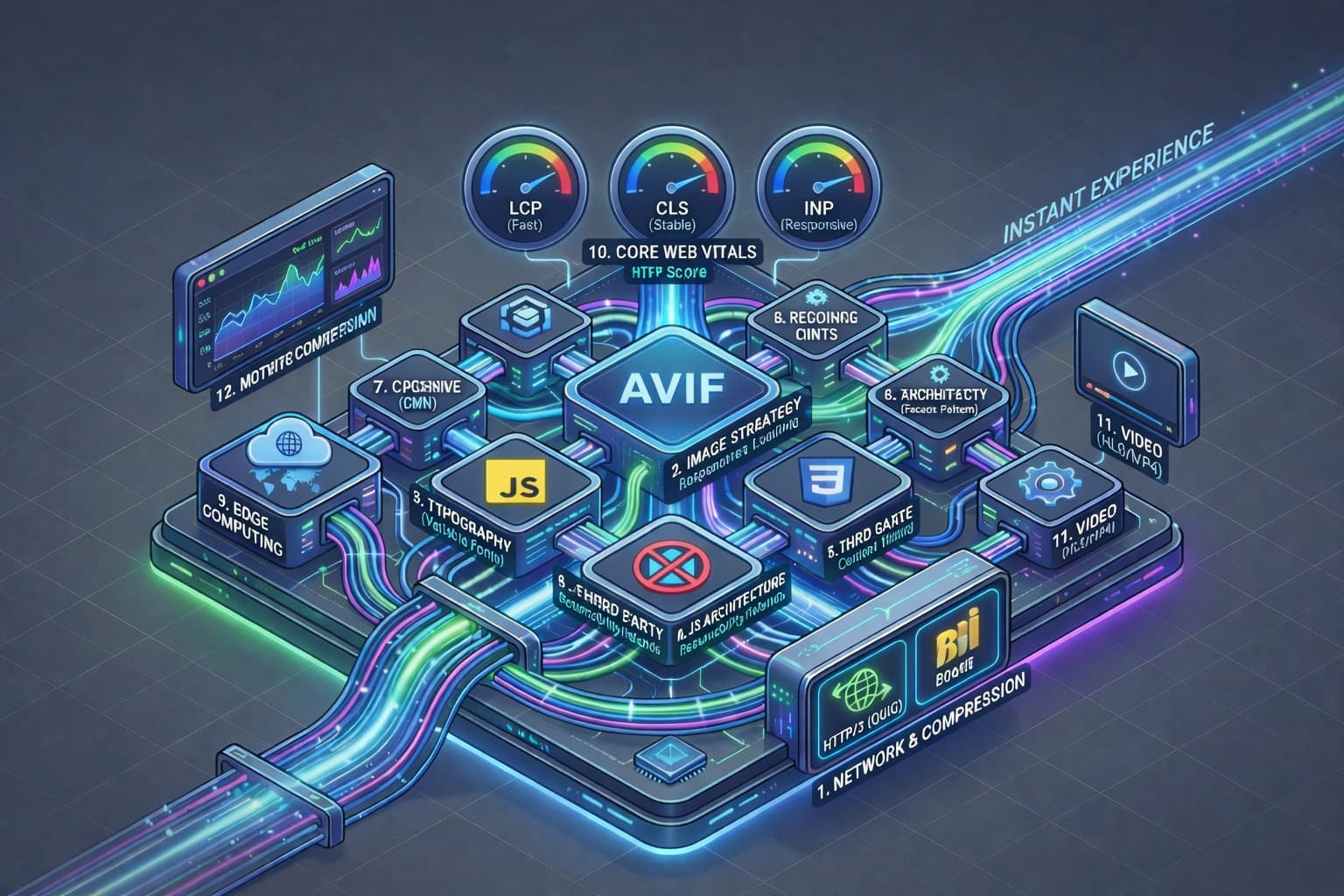
Web performance in 2026 isn't a discipline of micro-optimizations - it's the sum of architectural decisions made at twelve distinct layers of the stack. This post breaks down each layer using protocol-level mechanics, browser rendering pipelines, and field data from the HTTP Archive 2025 Web Almanac and Chrome User Experience Report (CrUX). For each pillar I'll cover: what physical or computational constraint creates the bottleneck, which engineering primitive solves it, and how it measurably affects Core Web Vitals - LCP, INP, and CLS.
A site that gets all twelve pillars right doesn't just 'feel faster' - it measurably lands in the top 10% of the web. Deloitte Digital's Milliseconds Make Millions study (2020) found that a 0.1-second improvement in mobile speed increased retail conversions by 8.4% and average order value by 9.2%. That 8.4% is worth reading carefully: the study is observational, it left out the brands where it found no significant effect, and the randomised experiments in the same field measure roughly a thirtieth of it. What a tenth of a second is actually worth sets the two sides against each other, source by source. And the flip side is equally true: a site weak on even one foundational pillar - usually pillar 1 (transport) or pillar 10 (vitals diagnostics) - will underperform regardless of how much effort you pour into the rest.
Pillar 1 - Network Physics: Transport Protocols & Compression
Every performance conversation must begin at the physical layer, because latency is bound by the speed of light. A round-trip between New York and Frankfurt is ~80ms on optical fiber - a hard physical floor that no amount of client-side optimization can lower. What engineering can control is the number of round-trips required to deliver a page. This is why the transport protocol matters more than almost any other single decision.
HTTP/1.1 requires six sequential TCP connections per origin (the classic Chrome limit), each with its own TLS handshake (~2 RTT) and TCP slow-start ramp. On a single flaky 4G connection - where packet loss sits around 2–4% in the field - this architecture collapses into Head-of-Line blocking: one lost TCP segment stalls every subsequent stream on that connection. HTTP/2 multiplexed streams over a single TCP connection, but Head-of-Line blocking persisted at the TCP layer because TCP guarantees in-order byte delivery. HTTP/3 (RFC 9114, June 2022) rebuilds HTTP on QUIC (RFC 9000), a UDP-based transport where each stream is independently reliable. A lost packet on stream A no longer blocks stream B. In Cloudflare's public field data, HTTP/3 reduces 99th-percentile page load time on lossy mobile networks by 18–34% compared to HTTP/2.
On top of transport sits compression. Brotli (RFC 7932) was developed by Google specifically for the web: its static dictionary is pre-trained on a corpus of common HTML, CSS, and JavaScript tokens, which gives it a 15–25% size advantage over gzip on textual web assets. The cost is asymmetric: Brotli level 11 (the maximum) compresses ~60× slower than gzip level 6, which is why it must be applied as a build-time step, never at request time. The correct architecture is: pre-compress at CI/CD (.br and .gz variants both written to the CDN origin), negotiate via Accept-Encoding, fall back to gzip only for clients that lack Brotli support (essentially none in 2026).
- Architectural rule: Serve HTTP/3 on port 443 with Alt-Svc advertisement. Fall back to HTTP/2 for clients that cannot negotiate QUIC. Never serve a production bundle over HTTP/1.1 unless legally required.
- Compression rule: Apply Brotli-11 to all text assets (HTML, CSS, JS, JSON, SVG, fonts) at build time. Never compress already-compressed binary formats (AVIF, WebP, MP4, woff2) - the double-compression overhead is pure waste.
- Measurement: Verify protocol version in DevTools → Network → Protocol column. If you see
http/1.1in production, you have a CDN misconfiguration, not an edge case.
Pillar 2 - Image Pipeline: Format Engineering and the LCP Problem
Images are the heaviest resource class on the modern web. The HTTP Archive 2025 Web Almanac reports a median image weight of 1,012 KB per mobile page - roughly 48% of total transferred bytes. Image optimization is therefore not a detail; it is the dominant lever on LCP for ~85% of pages where the Largest Contentful Paint element is an image.
Format selection is a compression-to-fidelity tradeoff governed by the underlying video codec. JPEG (1992, DCT-based) is the floor. WebP (2010, VP8-based) yields ~25–35% smaller files at equivalent perceptual quality. AVIF (2019, AV1 intra-frame codec) delivers another 20–50% reduction over WebP and - critically - supports 10-bit and 12-bit color depth plus the BT.2020 color space needed for HDR content. On a sample product photograph (2048×2048, 24-bit sRGB), a typical result is: JPEG Q80 = 420 KB, WebP Q80 = 280 KB, AVIF Q55 = 145 KB - all at indistinguishable SSIM above 0.98.
The <picture> element with type-based source selection is the correct delivery mechanism, because it allows the browser to pick the best supported format without a JavaScript round-trip. Beyond format, resolution must match the rendered size. A 2000×1500 hero image served to a 390-pixel mobile viewport wastes ~90% of the bytes. This is the srcset + sizes problem: the sizes attribute declares the rendered width as a CSS expression; the browser then multiplies by devicePixelRatio and selects the closest descriptor from srcset. Getting sizes wrong is the single most common reason an otherwise well-optimized site still scores poorly on LCP.
Finally, the LCP image deserves explicit prioritization. The HTML attribute fetchpriority="high" (Priority Hints, Chrome 101+) promotes the resource above the default medium priority, instructing the preload scanner to dispatch it before any lazy-loaded or below-the-fold asset. Conversely, loading="lazy" on non-LCP images defers the request until intersection observer triggers. The asymmetry is deliberate: one image must be hyperprioritized; everything else must be deferred.
- Decoding:
decoding="async"hands image decode to a compositor worker thread. On large hero images (>500KB decoded RGBA), this eliminates a 20–80ms main-thread stall that would otherwise block INP during scroll. - Explicit dimensions: Every
<img>requireswidthandheightattributes (or a CSSaspect-ratio). Without them, the browser cannot compute layout before the bytes arrive - the direct cause of CLS. - CDN transformation: Generate the format/resolution matrix at the CDN edge (Cloudflare Images, Vercel Image Optimization, imgix), never commit pre-rendered variants to git. A typical matrix is 5 widths × 3 formats = 15 variants per source asset.
Pillar 3 - Typography: Font Metrics and the FOUT/FOIT Tradeoff
Web fonts are deceptively expensive because they are render-blocking by default. Until the font file is downloaded, decoded, and matched against the CSS @font-face rule, the browser faces a choice: render invisible text (FOIT - Flash of Invisible Text) or render a fallback that will shift layout when the real font arrives (FOUT - Flash of Unstyled Text). CLS is the consequence of the wrong choice here.
Variable fonts (OpenType 1.8, 2016) solve the first half of the problem. Instead of shipping eight woff2 files for weight 100–900, a single variable font file carries a continuous weight axis and interpolates at render time. The CSS font-variation-settings property exposes the axes. A production-grade variable font like Inter variable weighs ~120 KB woff2 - less than two static weights would cost. The network savings compound with font subsetting: stripping glyphs that a locale will never use (Cyrillic glyphs from an English-only build, or CJK from a Latin-only build) routinely halves file size.
The render strategy is controlled by font-display. The four values are not interchangeable. font-display: swap shows fallback immediately and swaps to the web font when it arrives - accepts FOUT, rejects FOIT. font-display: optional gives the browser a 100ms budget: if the font does not arrive within that window, it is skipped for this page load entirely - the correct choice for decorative display fonts where FOUT would be visually jarring. The CSS size-adjust, ascent-override, and descent-override descriptors allow a fallback font to match the metrics of the web font pixel-for-pixel, reducing CLS from the swap event to near zero.
- Preload the LCP font:
<link rel="preload" as="font" type="font/woff2" crossorigin>. Omittingcrossoriginsilently invalidates the preload because fonts are always CORS-fetched. - Self-host: Google Fonts via the
fonts.googleapis.comCDN adds a DNS resolution, a TCP handshake, and an unpredictable cache boundary. Self-hosting on your primary origin is faster in every measurement. - Match fallback metrics: Use https://screenspan.net/fallback to generate
size-adjust,ascent-override, andline-gap-overridevalues that zero out the swap-induced layout shift.
Pillar 4 - JavaScript Architecture: The Hydration Cost Model
JavaScript is the most expensive byte on the web. A 100 KB image costs the network and the decoder; a 100 KB JavaScript bundle costs the network, the parser, the compiler, the bytecode cache, the main thread (for execution), and eventually the V8 heap (for retained objects). Addy Osmani's cost-of-JS analysis (2022, replicated in the 2025 Web Almanac) demonstrates that a mid-range Android device (Moto G Power) processes JavaScript approximately 4× slower than a high-end desktop. This is why JS-heavy sites feel fine in development and fail in production: developer hardware is not representative of the field.
React Server Components (RSC), stabilized in React 19 and default in Next.js 15+, represent the most significant architectural shift since hooks. An RSC executes exclusively on the server, emits serialized UI output (not HTML, not VDOM - a specialized wire format), and contributes zero bytes to the client JavaScript bundle. The operational rule: every component that does not use state, effects, browser APIs, or event handlers should be an RSC by default. Client Components (the 'use client' boundary) become the explicit exception, not the default. The full architecture is covered in React Server Components in Next.js, and the new client primitives in the React 19 features guide.
Beyond RSC, the Islands architecture (Jason Miller, 2020) formalizes partial hydration. Each interactive widget is an independently-hydrated island; the static HTML between islands carries no JavaScript and no runtime cost. Astro is the canonical implementation; Qwik pushes further with Resumability, serializing the framework's execution state into HTML and deferring the entire hydration step until the first interaction. The measurable result, per the Qwik team's production benchmarks: a 50 KB Qwik app ships ~1 KB of initial JavaScript vs. ~45 KB for an equivalent React SPA.
- Build target: Compile to
es2024. Every polyfill in your main bundle represents a dead-weight tax on modern browsers - which account for >96% of traffic in 2026. - Dynamic import on interaction:
const Modal = dynamic(() => import('./Modal'))defers the module until render. For truly heavy widgets (3D scenes, rich text editors, video players), gate the import behind the actual interaction event handler, not the component mount. - Bundle analysis is mandatory:
@next/bundle-analyzerorrollup-plugin-visualizershould run in CI. An unexplained 20 KB addition to the main chunk is a regression that must be reviewed before merge.
Pillar 5 - The Critical Rendering Path: CSSOM, Layout, and Containment
The browser's rendering pipeline has six discrete stages: Parse HTML → Build DOM → Parse CSS → Build CSSOM → Construct Render Tree → Layout → Paint → Composite. CSS is render-blocking by default because the browser cannot construct the render tree without the CSSOM. This is why <link rel="stylesheet"> in <head> directly gates First Contentful Paint.
The correct architecture inlines the critical CSS - the rules required to render above-the-fold content - directly into the HTML <head>, and defers the remainder. Next.js does this automatically via its CSS-in-JS integration; for static sites, tools like Critters or Beasties (the active fork as of 2025) extract critical CSS at build time. The result: FCP is unblocked by the time the HTML arrives, and the full stylesheet loads asynchronously without blocking.
CSS Containment (W3C CSS Containment Module Level 2) gives the engine explicit permission to scope style, layout, and paint recalculations. contain: layout paint style on a component boundary promises the browser that changes inside that element cannot affect the outside - allowing the engine to skip recomputation of the rest of the render tree when only that subtree invalidates. The cousin property content-visibility: auto goes further: the browser does not even layout the subtree until it approaches the viewport. In the CSS Containment spec examples, content-visibility: auto cuts initial rendering work on a 10,000-item article archive by >90%.
- Contain-intrinsic-size: Always pair
content-visibility: autowithcontain-intrinsic-sizeso the browser can reserve layout space without rendering. Omitting it causes massive CLS as items scroll into view. - Avoid layout thrashing: Reading a layout-dependent property (
offsetWidth,getBoundingClientRect) after writing to the DOM forces synchronous layout. The classic fix is to batch all reads before all writes within a single frame. - CSS-only animations: Animate only
transformandopacity. Animatingtop,left,width, orheighttriggers layout on every frame - on a 60Hz display that is 16.67 ms of budget consumed per frame on composition alone.
Pillar 6 - Third-Party Script Governance: The Facade Pattern and Partytown
Third-party scripts are the silent killer of CWV. The HTTP Archive 2025 Web Almanac reports that the median mobile page loads 22 third-party requests totaling 520 KB, with the top offenders being Google Tag Manager (~80 KB minified), Intercom/Zendesk widgets (~350 KB), and embedded video players (~600 KB). Each of these scripts runs on the main thread and contributes directly to Total Blocking Time and INP.
The Facade Pattern formalizes the engineering response. Instead of loading the full widget eagerly, render a static placeholder (a PNG of the chat bubble, a thumbnail of the video) that is visually indistinguishable from the real widget. Only on user interaction - a click or a programmatic 'about to engage' signal like mouseenter with dwell - does the real third-party payload fetch. The @next/third-parties package ships facades for YouTube, Google Maps, Google Tag Manager, Intercom, and Zendesk out of the box.
Partytown (Builder.io, 2022) takes a structurally different approach: it relocates third-party scripts into a dedicated Web Worker, synchronously proxying DOM access via SharedArrayBuffer and service worker message channels. Because the worker runs on a background thread, a 200ms analytics callback no longer pre-empts an animation frame on the main thread. The tradeoff is compatibility - scripts that rely on synchronous document.write or browser-specific globals can break. Partytown is the right answer for Google Analytics, HubSpot, Hotjar, and Facebook Pixel; facade the rest.
Pillar 7 - HTTP Caching: stale-while-revalidate and the Freshness Contract
The HTTP cache is the most underused performance lever in the industry. The mental model most developers operate under - 'set Cache-Control and hope' - misses the deeper contract expressed by the Cache-Control header. The two directives that do the heavy lifting in 2026 are immutable and stale-while-revalidate.
For hashed static assets (/static/chunk-8a7b3f.js), the correct header is Cache-Control: public, max-age=31536000, immutable. The immutable directive (RFC 8246) explicitly tells the browser that the resource at this URL will never change, which disables revalidation even on manual reload. The hashed filename is the cache key; a content change produces a new hash and therefore a new URL. This pattern, combined with a long-lived edge cache, eliminates redundant network work entirely.
For non-hashed resources - HTML pages, API responses, uncached navigation documents - stale-while-revalidate (RFC 5861) is the correct tool. Cache-Control: public, max-age=60, stale-while-revalidate=86400 means: serve from cache for 60 seconds; after that, serve the stale cached copy immediately while asynchronously revalidating with the origin in the background. The user experiences a cached-fast response every time, and the cache self-heals on a 24-hour horizon. Next.js builds this into its ISR (Incremental Static Regeneration) model: the edge serves the stale page, the origin regenerates it, the next request gets the fresh version.
Pillar 8 - Resource Hints: 103 Early Hints and the Preload Scanner
When a user navigates to a page, the server must first construct the HTML response before the browser can even see the <link rel="preload"> tags that would start downloading critical resources. On a dynamic page with a 300ms server think time, that is 300ms of network idle time. The HTTP 1xx Early Hints status code (RFC 8297), combined with 103 Early Hints, allows the server to ship preload headers before the final 200 response - effectively overlapping server compute with network fetch of known-critical resources.
Support is strong: Chromium 103+, Vercel, Cloudflare, and Fastly all support 103 Early Hints out of the box. Next.js emits them automatically for fonts and CSS linked in the page head. The measurable impact per Shopify's 2022 rollout data: a 20–30% reduction in LCP on cold-navigation pages where server think time dominates.
<link rel="preconnect"> for critical third-party origins pre-warms the DNS, TCP, and TLS handshake before the browser needs the resource. Use it for at most 4–6 critical origins (the handshake itself is expensive); reserve rel="dns-prefetch" for lower-priority origins where you only want the DNS resolution.
Pillar 9 - Edge Computing: Rendering Topology and Cold Starts
Rendering location is a topology decision. Client-side rendering pushes computation to the device - cheap for the server, expensive for the battery and the LCP. Origin SSR centralizes computation - cheap for the client, expensive for latency if the origin sits in us-east-1 while the user sits in Singapore. Edge SSR (Vercel Edge Functions, Cloudflare Workers, Deno Deploy) renders at a point of presence within ~50ms of the user - getting both the tiny JavaScript bundle of SSR output and the low latency of a nearby origin.
The architectural catch is cold start. A traditional Node.js Lambda cold-starts in 300–800ms; V8 isolates (the Cloudflare Workers runtime) cold-start in <5ms because isolates share a single V8 process and only provision a new execution context. In 2026, Vercel's Fluid Compute model reuses function instances across concurrent requests, amortizing cold-start cost across the function's entire lifetime rather than per-request. The practical rule: for logic that must run on every request (auth, A/B flagging, geo routing), deploy to an isolate-based runtime; for long-running or heavy-memory workloads (image processing, ML inference), use Node.js Fluid Compute with its 300s timeout.
Pillar 10 - Core Web Vitals: Formal Definitions and Diagnostic Framework
Core Web Vitals (CWV) are not aesthetic targets; they are formally specified metrics with protocol-level observation semantics defined by the W3C Web Performance Working Group. All three are reported at the 75th percentile of field traffic - meaning you pass only if three-quarters of your users have a good experience, not your median user.
LCP (Largest Contentful Paint) is the render time of the largest image or text block visible within the viewport, measured relative to navigation start. Threshold: <2.5s good, >4.0s poor. The LCP element is identified via the PerformanceObserver 'largest-contentful-paint' entry type. LCP breaks down into four subcomponents: Time to First Byte (TTFB), resource load delay, resource load duration, and element render delay. Optimization must target the dominant subcomponent - preloading an image that is not bandwidth-constrained is waste, and optimizing TTFB when render delay dominates is equally misdirected.
INP (Interaction to Next Paint) replaced First Input Delay (FID) as a Core Web Vital on March 12, 2024. Unlike FID, which measured only input delay on the first interaction, INP observes every qualifying interaction (click, tap, keypress) throughout the entire session and reports approximately the 98th percentile. Threshold: <200ms good, >500ms poor. Each interaction decomposes into input delay (handler queue time), processing duration (handler and rendering work), and presentation delay (compositor to screen). Detailed treatment of INP architecture is covered in INP Optimization in Next.js 16.
CLS (Cumulative Layout Shift) is the dimensionless product of impact fraction (the area of the viewport affected by the shift) and distance fraction (how far elements moved). Threshold: <0.1 good, >0.25 poor. The measurement window is 'session windows' (up to 5s between shifts, capped at 5s total), not the full page lifetime - a critical nuance that prevents a long-lived SPA from accumulating shift indefinitely. CLS is caused by late-arriving fonts without size-adjust, images without width/height, ads/embeds without reserved space, and client-side content injection above the fold.
Pillar 11 - Video & Media: Codec Engineering and Adaptive Streaming
A background video autoplay is a deceptively expensive feature. A 10-second 1080p H.264 loop weighs ~3 MB; the same loop in AV1 (ffmpeg -c:v libaom-av1 -crf 30 -b:v 0) lands at ~900 KB - a 3.3× reduction at equivalent visual quality. AV1 is the correct baseline format in 2026; hardware decode support on Android and iPhone 15+ makes software-decode concerns obsolete.
GIFs are an anti-pattern at any size above ~50 KB: the format is a 1987 palette-indexed design with no interframe compression, which makes a 3 MB GIF trivially reproducible as a 200 KB muted looping MP4. The <video autoplay muted loop playsinline> pattern preserves the 'it just plays' feel of a GIF with 10–20× better compression ratios. The playsinline attribute is load-bearing on iOS: without it, the video launches in fullscreen on tap.
For longer-form video (hero loops >30s, product demos, testimonials), HLS or DASH adaptive streaming is mandatory. HLS segments the video into 2–6 second chunks at multiple bitrate ladders; the player selects the appropriate ladder based on measured throughput and upgrades or downgrades mid-playback. A mobile user on 4G downloads the 480p ladder; the same page on desktop fiber upgrades to 1080p mid-playback. Without adaptive streaming, the mobile user pays the full 1080p cost and the browser throttles the connection.
Pillar 12 - Real User Monitoring: The Field Data Reality
Lab tools - Lighthouse, PageSpeed Insights, WebPageTest - report what a synthetic device on a synthetic connection measured. They are diagnostic tools, not ranking tools. Google's ranking signal, and the HTTP Archive dataset, is built from field data: the Chrome User Experience Report (CrUX), which aggregates anonymized performance measurements from opted-in Chrome users, reported at the 75th percentile across a 28-day window.
The architectural implication: what matters is the 75th percentile of your actual users, not the 50th percentile of Lighthouse on your M3 MacBook. Lighthouse and the field can and do diverge by a factor of 3–5× for applications with heavy client-side computation, slow third-party scripts, or long animations. The only way to close this gap is to instrument the production client with the web-vitals JavaScript library (Google, MIT licensed), forward each vital measurement to an RUM backend (Vercel Speed Insights, DataDog RUM, SpeedCurve, Cloudflare Web Analytics), and segment the resulting distribution by page template, device class, geography, and connection type.
The web-vitals library is ~2 KB gzipped and uses the PerformanceObserver API to report LCP, INP, CLS, FCP, and TTFB without sampling overhead. Forward each report asynchronously via navigator.sendBeacon so the measurement itself cannot contribute to INP. Once the pipeline is live, set a performance budget per page template - LCP_p75 <= 2000ms, INP_p75 <= 150ms, CLS_p75 <= 0.05 - and treat a budget breach as a build-breaking regression.
Case Study: Three.js Hero Architecture on This Portfolio
This portfolio ships a real-time Three.js background, which is - architecturally - the single most expensive widget category on the web: a WebGL context, a scene graph, a 60Hz render loop, and typically a 400–800 KB compressed bundle. Shipping it as a synchronously-loaded hero would have destroyed LCP. The delivered architecture instead uses three layered techniques.
- Poster-first render: the hero frame is a pre-rendered 1200×800 AVIF poster that is the LCP element. The Three.js runtime never blocks LCP because it is never on the critical path.
- User-intent initialization: Three.js imports and scene construction are gated behind a
requestIdleCallback+ first interaction signal (scroll, hover, or 2s timer, whichever comes first). This preserves INP on the first paint window. - Contain and defer downstream blocks: the contact form, the pricing carousel, and the testimonials slider all load via
next/dynamic({ ssr: false })with suspense fallbacks that reserve their exact CLS-safe dimensions.
If you are not yet sure which metric is actually failing, the free site audit returns your field data and lab metrics in one pass, and reading a failed Core Web Vitals assessment explains what Search Console is telling you. If your storefront or marketing site has a similar structural constraint - a heavy hero widget, a slow TTFB, or a stubborn INP regression - start with a performance architecture engagement, browse related case studies, or discuss your project directly.
Case Study: Taking a Production Landing Page from 72 to 99
Let me make this concrete. In June 2026 I spent a day on the homepage of a high-traffic SaaS product. Desktop Lighthouse Performance was stuck at 72-75. By the end it scored around 99. Seven small commits got it there, and nothing on the page actually changed for the visitor: no feature dropped, no consent rule bent. The whole jump came down to one idea that Pillars 4 and 6 keep circling back to. Stop doing the expensive work while the page is still loading.
What was actually pinning the score?
Two things, and both of them ran during that first paint window. The hero animation was the obvious one. It shipped as a 3.1 MB Lottie: 3,104 KB of raw JSON, 4,311 layers, 193 images baked inside. The zipped .lottie file looks innocent at 87.6 KB, and that is exactly the trap. Once the browser unzips it, the renderer still has to build all 4,311 layers on the main thread, on load. The second culprit was quieter. Somewhere between 1.4 and 1.6 seconds of tag-manager JavaScript, the container plus the analytics and ad tags it pulls in, fired immediately in <head> before anyone had seen a pixel. Between them they kept Total Blocking Time high and pinned the page in the low 70s.
The animation was the easy half, because the fix already sat two paragraphs up: the same poster-first trick as the Three.js hero. It no longer boots on load. The page paints a static frame-0 WebP instead, 14.8 KB, which is roughly 210× lighter than the scene it stands in for. The real player loads later, desktop only, after the visitor's first scroll or click, during idle time. On mobile the hero is hidden anyway, so the 37 KB player never downloads there at all. We also re-exported the posters at their real display size rather than 2×, and that halved them again.
The scripts needed a little more thought. A small ES5 scheduler drops every third-party tag into one of two buckets. Anything useless until someone interacts (the tag manager, plus a product-analytics SDK whose core bundle alone is about 230 ms) waits for the first scroll, click, or keypress. On a bounce it never loads at all. The few scripts that have to fire no matter what, the consent banner at roughly 0.5 s / 161 KB and the affiliate cookie, wait for window.load and idle instead. The visitor sees the same thing either way. It just stops happening during the slice Lighthouse measures.
- Before: 72-75 on desktop, with the hero Lottie and ~1.4-1.6 s of tag-manager JavaScript both firing on load.
- After: around 99, and the 28-day CrUX field data agrees: LCP 0.9 s, INP 89 ms, CLS 0.06, FCP 0.8 s, TTFB 0.5 s. Every one of them sits in the Good band.
- Still open: DOM size. The page ships about 1,980 elements, and Lighthouse starts warning near 800 and fails past 1,400. So the node count is what drags next, which is a decent reminder that once transport, images, and JavaScript are handled, the markup itself becomes the slow part.
None of this meant cutting features. Two assets were eating the main thread on load, one animation and one tag manager, and the entire fix was moving them off the critical path. That is almost always where these gaps hide. It is rarely a hundred small inefficiencies. It is two or three heavy things loading earlier than they should. If that sounds like your site, a big hero, a slow server response, an INP score you have traced back to someone else's script, that is the first thing a performance architecture engagement looks at: what runs in that opening load window, and what has no business being there yet.
Conclusion
Web performance in 2026 isn't something you optimize after launch. It's the result of twelve architectural decisions: protocol selection, image pipelines, font delivery, hydration strategy, rendering path, third-party scripts, caching, resource hints, edge topology, vitals diagnostics, media codecs, and RUM. Skip one pillar and you're not looking at a 5% regression - you're looking at 30–60%, concentrated exactly on the metric that pillar holds together. Get all twelve right and your site lands in the top decile of the web. That translates directly to engagement, retention, and revenue.
References
- HTTP Archive 2025 Web Almanac, State of the Web Report
- W3C Web Performance Working Group, Core Web Vitals specifications
- Chrome User Experience Report (CrUX) documentation
- RFC 9114 - HTTP/3 specification (IETF, 2022)
- RFC 9000 - QUIC Transport Protocol (IETF, 2021)
- RFC 8246 - HTTP Immutable Responses (IETF, 2017)
- RFC 5861 - stale-while-revalidate / stale-if-error (IETF, 2010)
- RFC 8297 - HTTP 103 Early Hints (IETF, 2017)
- Deloitte Digital, Milliseconds Make Millions (2020) - conversion impact benchmark
- Osmani, A. The cost of JavaScript, Google Chrome DevRel (2022, updated 2025)
- Google Search Central, Page Experience and INP announcement (May 2023)
- W3C CSS Containment Module Level 2, Editor's Draft
- web-vitals JavaScript library, Google / MIT licensed