Senior Frontend Architect, 10+ years building production Next.js applications. Contentful Certified Professional (2024). Specializes in React Server Components, headless commerce, and Core Web Vitals engineering.
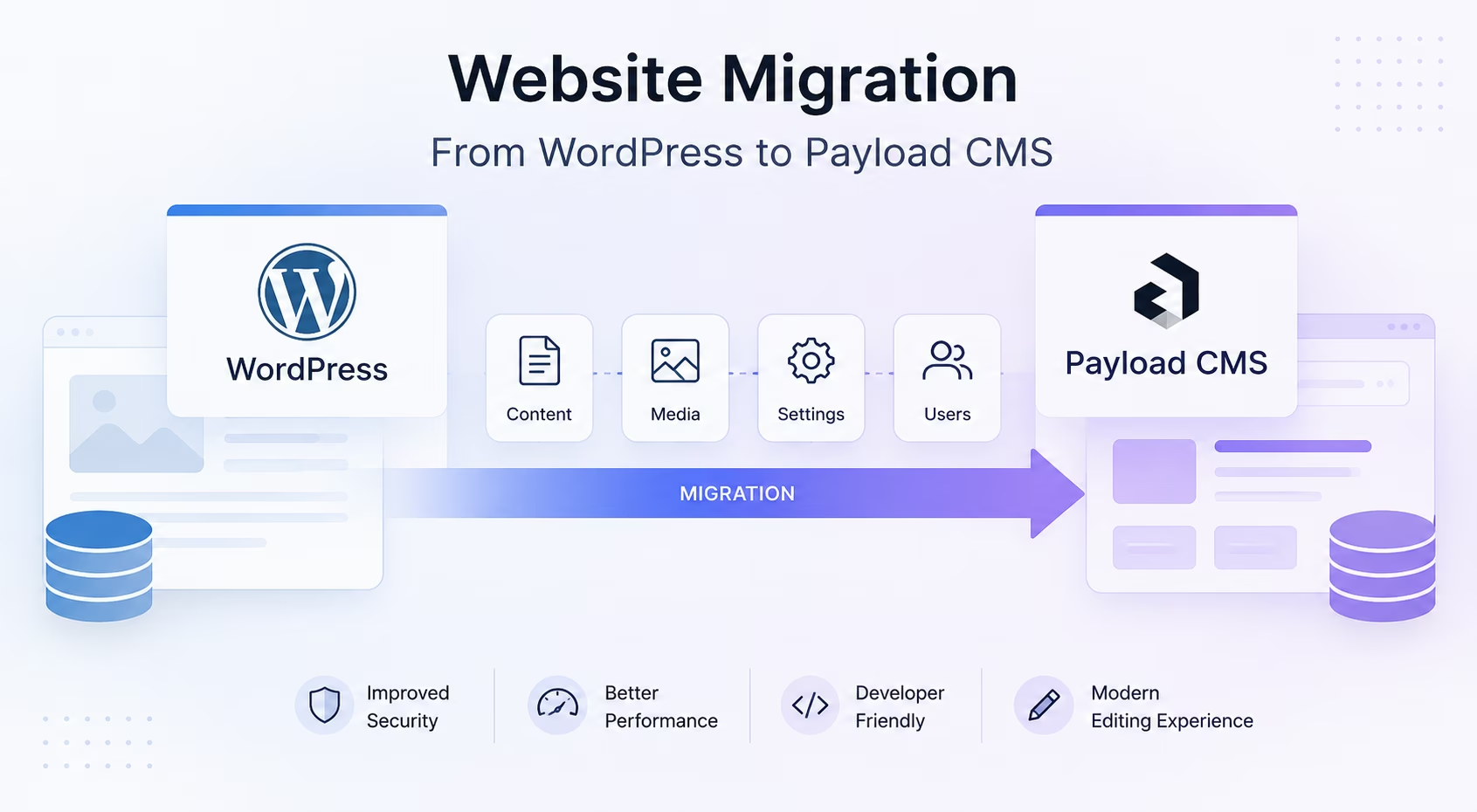
I recently moved a multi-language marketing site off WordPress and onto Payload CMS, and the job taught me to treat a migration as a data pipeline rather than a one-click export. The "export to JSON" plugins start to creak as soon as you have WPML translations, Yoast SEO metadata, Gutenberg and classic-editor HTML living side by side, and a decade of wp-content/uploads PDFs that external sites still link to. What follows is the production approach I used - a multi-stage, scripted migration into Payload 3.77 backed by PostgreSQL on Neon and deployed on Vercel. We will walk through the stack decisions, the HTML-to-Lexical conversion that sits at the heart of any WordPress migration, media and SEO preservation, the 301 redirect strategy, and how the day-to-day developer experience changed afterward.
Why Payload, and Why Not Another WordPress Plugin
WordPress couples content to a PHP theme, a pile of plugins, and a wp_postmeta key-value table that turns into a swamp as a site ages. The goal of the move was to put the content model under version control and serve it from a stack I fully control for performance and SEO. Payload gives you exactly that: collections and fields are defined in TypeScript, the schema is code, the database is PostgreSQL with Drizzle-generated migrations, rich text is Lexical, and - in Payload 3 - the whole thing runs inside a Next.js app. Instead of fighting a theme, the front end is React Server Components I own end to end. That combination - a content model in code, running as a Next.js CMS - is what makes Payload a genuine WordPress alternative for a content-heavy site, not just another headless API.
The Stack: Payload 3, PostgreSQL on Neon, Vercel
The target stack was deliberately boring and modern. Every version below is what actually shipped, not a recommendation in the abstract.
- Payload 3.77 on Next.js 15.4 / React 19: Payload 3 runs inside the Next.js application - the admin panel and the REST/GraphQL API are Next.js routes, not a separate server process. One codebase, one deploy, one runtime.
- PostgreSQL via
@payloadcms/db-postgres3.77: the relational adapter, usingnode-postgresunder the hood. The content is relational and localized, so a real SQL database with foreign keys was the right call over a document store. - Neon as the managed Postgres: connection through
POSTGRES_URL_NON_POOLINGfor the migration scripts (to sidestep PgBouncer prepared-statement limits), withconnectionTimeoutMillisat 30,000 to tolerate Neon's cold starts and maintenance windows, andidleTimeoutMillisat 60,000 to recycle idle connections. - Vercel Blob for media via
@payloadcms/storage-vercel-blob3.77: every upload in themediacollection is stored on Blob and served from the edge. - Lexical rich text via
@payloadcms/richtext-lexical3.77: the content field that replaces WordPress'post_content. This is the single biggest reason migration is non-trivial, and the whole of Stage 2 below.
The Postgres Adapter Decision That Kept the Migration Stable
Payload offers a Neon/Vercel serverless routing adapter, and I deliberately did not use it. On deeply nested "page-with-blocks" queries - a page composed of a dozen block types, each with their own relationships - the serverless adapter proved unreliable, while plain node-postgres through @payloadcms/db-postgres, with a pooled connection and explicit timeouts, stayed rock-solid under exactly those queries. The other practical detail: schema push (push: true) is enabled only on localhost for fast iteration; Neon never gets a schema push - it only receives committed, reviewed Drizzle migrations. That separation keeps the production schema deterministic.
Why PostgreSQL and Drizzle, Not MongoDB
Payload supports both MongoDB and PostgreSQL. I chose Postgres because the content is inherently relational and localized: posts reference categories, tags, and media by foreign key, and each translated field lives in a per-locale table such as posts_locales. Schema changes ship as timestamped TypeScript migrations, which means the database history is reviewable in pull requests and reversible. Leaving behind WordPress' wp_postmeta - a single entity-attribute-value table where every setting is a serialized string row - was itself a goal, not a side effect.
The Migration Is a Pipeline: Extract, Transform, Localize
The migration runs as three tiers. Extraction pulls content from the live WordPress database, with the production HTML as a fallback when the database is not reachable. Transformation converts that HTML into Lexical, uploads media, and creates Payload documents. Localization propagates content across locales and re-attaches SEO metadata. None of this ships with the application: the scripts live in dedicated migration and seed directories outside the application bundle, every one of them is idempotent, and every write is gated behind a dry-run. Once you can run the whole thing ten times over without breaking anything, the cutover stops feeling like a risky event and starts feeling routine.
Stage 1 - Extraction: Reading WordPress at the Database Level
WordPress kept everything in MariaDB. Rather than the REST API - which quietly drops draft state and metadata nuance - I queried wp_posts and wp_postmeta directly. Translations came from WPML's wp_icl_translations: the trid column groups a post with all its translations, and language_code gives the locale. One detail proved essential: I base64-encoded post_content in the SQL output so newlines and raw HTML survived TSV parsing intact, then wrote one JSON file per locale.
- Identity and structure:
post_id, the WPMLtrid, and the slug, so translations could be reassembled and URLs preserved. - Content and dates: base64
post_content,post_date, andpost_modifiedfor accurate published/updated timestamps. - Media references:
_thumbnail_idfor the featured image, plus a regex sweep of inlinewp-content/uploads/...URLs in the body. - SEO and taxonomy: the full Yoast metadata block, plus category and tag slugs for relationship mapping.
Stage 2 - The Hard Part: Converting HTML to Lexical
Payload 3 stores rich text as Lexical JSON, not HTML. A decade of WordPress means a mix of classic-editor markup and Gutenberg block comments. I wrote a deterministic HTML-to-Lexical converter rather than trusting a generic library, because I needed control over every edge case in a decade of legacy content.
- Block nodes:
<p>becomes aparagraph;<h1>through<h3>becomeheadingnodes, clamped to theh2-h4range the editor allows;<li>becomes alistiteminside alistnode. - Inline formatting as a bitmask: Lexical encodes text formatting as an integer bitmask -
<strong>/<b>set format1,<em>/<i>set2, and nested bold-plus-italic becomes3. - Links:
<a>becomes alinknode carrying itshref, andtarget="_blank"maps tonewTab: true. - Entities and whitespace: decode the entities WordPress litters everywhere -
’to a straight apostrophe, the smart-quote pair to straight quotes,&to an ampersand - and drop whitespace-only and -only paragraphs entirely.
The omissions are as intentional as the conversions: arbitrary inline styles and any block structure beyond headings and lists are dropped, so the migration doubles as a content cleanup. Anything genuinely richer - callouts, galleries, embeds - is mapped to dedicated Payload blocks during the page-level passes, not smuggled in as raw HTML.
Stage 3 - Media and the wp-content/uploads Problem
There were two distinct media tasks. Featured images were the straightforward one: read each file as a buffer, infer the MIME type from the extension, and payload.create() into the media collection, which is backed by Vercel Blob; the returned document ID becomes the post's heroImage, with a default hero as the fallback when a post had none. The hard one was inline media - in particular the 100+ PDFs sitting at wp-content/uploads/YYYY/MM/... that external sites and Google had been linking to for years. For those I downloaded each asset from production, re-uploaded it to Vercel Blob under a wp-uploads/ prefix, and ran a SQL REPLACE across the JSONB content columns to rewrite every old URL in place.
One Payload setting is worth calling out: I set disablePayloadAccessControl: true on the Blob storage so the database stores the full public Blob URL directly, instead of routing every asset through /api/media/file/.... Fewer hops per image, and the URL is cacheable at the edge without touching the application.
Stage 4 - Don't Lose Your SEO: Migrating Yoast Metadata
The quiet way a migration destroys traffic is by dropping SEO metadata. Yoast stores all of it in wp_postmeta, so I wrote a separate importer that read each _yoast_wpseo_* key and mapped it onto Payload's meta group rather than letting it die in the HTML conversion.
- Titles and descriptions:
_yoast_wpseo_titleand_yoast_wpseo_metadescmap tometa.titleandmeta.description. - Canonicals:
_yoast_wpseo_canonicalmaps tometa.canonical, rewriting the old local/staging origin to the production origin in the process. - Indexing directives:
_yoast_wpseo_meta-robots-noindexand-nofollowmap tometa.noindexandmeta.nofollow. - Targeting signals:
_yoast_wpseo_focuskw,keywordsynonyms,is_cornerstone, andschema_page_typemap to dedicated fields so the editorial intent survives.
The importer matched records on (collection, slug, locale), ran as a dry-run by default, and only wrote to Postgres behind an explicit --apply flag. Open Graph and Twitter card fields came across the same way, so social previews survived the cutover unchanged. Treating SEO as a separate, auditable pass - rather than hoping it rides along inside the content - is what keeps the rankings you already earned instead of rebuilding them from zero.
Stage 5 - 301 Redirects: Preserving Link Equity
WordPress permalinks rarely line up with a new framework's routing, and every indexed URL or externally-linked PDF needs a 301 or you hand your rankings back to the search engine. I built a redirect manifest - including the 100+ legacy upload paths - and wired permanent redirects so old wp-content/uploads/... URLs resolve to their new Blob-backed /media/... locations. It is the least visible stage and one I treat as non-negotiable: it is what stands between a quiet cutover and a traffic drop that shows up in week two.
Stage 6 - Localization Across 30+ Markets
The site spanned around 30 locales. WPML's trid translation groups mapped cleanly onto Payload's localization, which keeps translated fields in per-locale tables. I seeded the master locale first, then ran locale-application scripts that copied structure into each new locale via SQL and layered locale-specific overrides on top. After every schema change, payload generate:types regenerated the TypeScript types so the admin UI and the codebase never drifted apart - a guarantee WordPress simply cannot offer.
Idempotency, Dry-Runs, and Keeping Migration Code Out of the App
The migration scripts never shipped in the application bundle; they live in dedicated migration and seed directories kept out of the runtime. Three properties made them safe to run against a live database. They are idempotent: re-running creates no duplicates because every write matches on slug and locale first. They are dry-run by default: every destructive step requires an explicit --apply. And they are auditable: each step logs what it matched and what it would change, so a dry-run is a readable diff before anything touches Postgres.
What the Developer Experience Looks Like Afterward
The payoff is a content model that is code. Collections like Posts and Pages are TypeScript files, so adding a field is a commit and a migration, not a plugin install. payload generate:types gives end-to-end type safety from the database through the Payload API into the React components. Locally, Postgres runs in Docker with schema push enabled for fast iteration, while Neon receives only committed migrations. Editors get a clean Lexical editor and a block-based page builder instead of a wall of shortcodes. There is no plugin update treadmill, no PHP versions to chase, and no functions.php quietly accumulating business logic.
What Actually Improved
- Type safety end to end: the same content types flow from Postgres through the Payload API into Next.js Server Components, so a renamed field is a compile error, not a production surprise.
- No plugin sprawl: behavior that was five WordPress plugins is now a few hundred lines of reviewed TypeScript.
- Relational integrity: categories, tags, media, and locales are foreign keys in Postgres, not serialized rows in
wp_postmeta. - Rendering I control: because the front end is Next.js App Router on Vercel, Core Web Vitals and SEO are engineering decisions rather than theme constraints.
- One runtime: Payload 3 lives inside the Next.js app, so the CMS, the API, and the public site build and deploy together.
SEO After the Move: Better Than WordPress, Without the Plugin Bill
The detail the client cared about most: search performance held through the cutover and then improved - without a single paid SEO plugin. On WordPress the SEO stack was a recurring bill: Yoast Premium for metadata and redirects, a caching plugin for Core Web Vitals, an image optimizer, each with its own update cycle and its own drag on the admin. On Payload those same capabilities are part of the application. The meta group gives every document a title, description, canonical, and robots directives as typed fields; redirects live in a reviewed manifest; and Core Web Vitals are an output of the Next.js rendering I control, not a plugin I rent. Cleaner server-rendered HTML, faster pages, and metadata validated at the type level give a crawler fewer reasons to hesitate, and the rankings reflected it. The obvious next step - generating those meta.title and meta.description fields automatically with an AI pass over the content - is a story for its own article.
WordPress is a fine place to start and a hard place to scale a bespoke, multi-locale, performance-critical site. Moving to Payload was not a one-click export; it was a pipeline I could run, audit, and re-run until the data came out clean. The pieces that earned their keep were the least visible ones - the HTML-to-Lexical converter, the Yoast metadata importer, and the redirect manifest. Get those three right and nobody notices the move happened at all: not your readers, and not the search engines.
Is a WordPress export plugin enough for a real migration?
Not for anything beyond a hobby blog. Export plugins lose WPML translation relationships, Yoast metadata, and the distinction between classic and Gutenberg content, and they do nothing about the inline wp-content/uploads URLs that external sites depend on. A scripted, multi-stage pipeline is what survives contact with a decade-old install.
Why PostgreSQL instead of MongoDB for Payload?
Because the content is relational and localized. Foreign keys to categories, tags, and media, plus per-locale tables and reviewable Drizzle migrations, give integrity and a reversible schema history that a document store does not. Postgres on Neon also pairs naturally with a Vercel deployment.
How is WordPress HTML stored after the move?
As Lexical JSON, not HTML. A deterministic HTML-to-Lexical converter maps paragraphs, headings, lists, inline formatting, and links into Lexical nodes, decodes HTML entities, and drops empty paragraphs - while inline styles and exotic block structure are intentionally discarded as part of the cleanup.
Will old URLs and linked PDFs keep working?
Yes, if you treat redirects as a first-class stage. Every legacy URL - including the 100+ wp-content/uploads PDFs - gets a permanent 301 to its new Blob-backed location, so external links and search rankings carry over instead of breaking.
References
- Payload CMS documentation - collections, fields, localization, and access control.
- Payload PostgreSQL adapter -
@payloadcms/db-postgresconfiguration and migrations. - Payload Lexical rich text - the Lexical editor and node model.
- Vercel Blob storage - object storage used for the
mediacollection. - Neon serverless Postgres - connection pooling and non-pooling URLs.
- Drizzle ORM - the migration layer under the Postgres adapter.
- WPML translation tables -
wp_icl_translationsand thetridmodel.
Weighing a similar move - WordPress, Drupal, or a hand-rolled CMS onto Payload and Next.js - and want a second pair of eyes on the migration plan? Get in touch.